Understanding AI Workflow Automation for Triage and Response
Modern enterprises face a deluge of service tickets, alerts, and inbound requests—far more than human teams can efficiently process. AI workflow automation offers a way to streamline triage (prioritizing and categorizing requests) and response (initiating or assisting with solutions), using machine learning and natural language processing to reduce manual effort, accelerate resolution, and improve consistency. But effective automation is about more than just deploying models: it requires operational guardrails, thoughtful integration, and an understanding of both opportunities and risks.
Why AI-Driven Triage and Response Matter in Practice
In high-volume environments—such as IT support, customer service, security operations, or logistics—manual triage and response can lead to:
- Delays in addressing urgent issues due to bottlenecks or misclassification
- Inconsistent prioritization from human error or fatigue
- Escalation overload when routine cases are unnecessarily routed to senior staff
- Increased operational costs from repetitive manual work
AI automation can mitigate these challenges by:
- Automatically classifying and prioritizing tickets based on content, metadata, and historical outcomes
- Suggesting or initiating responses for common issues, freeing staff for more complex tasks
- Detecting anomalies or urgent cases for rapid escalation
- Standardizing response quality and reducing rework
However, the business impact depends on careful design, operational fit, and continuous oversight.
Main Approaches, Trade-Offs, and Risks
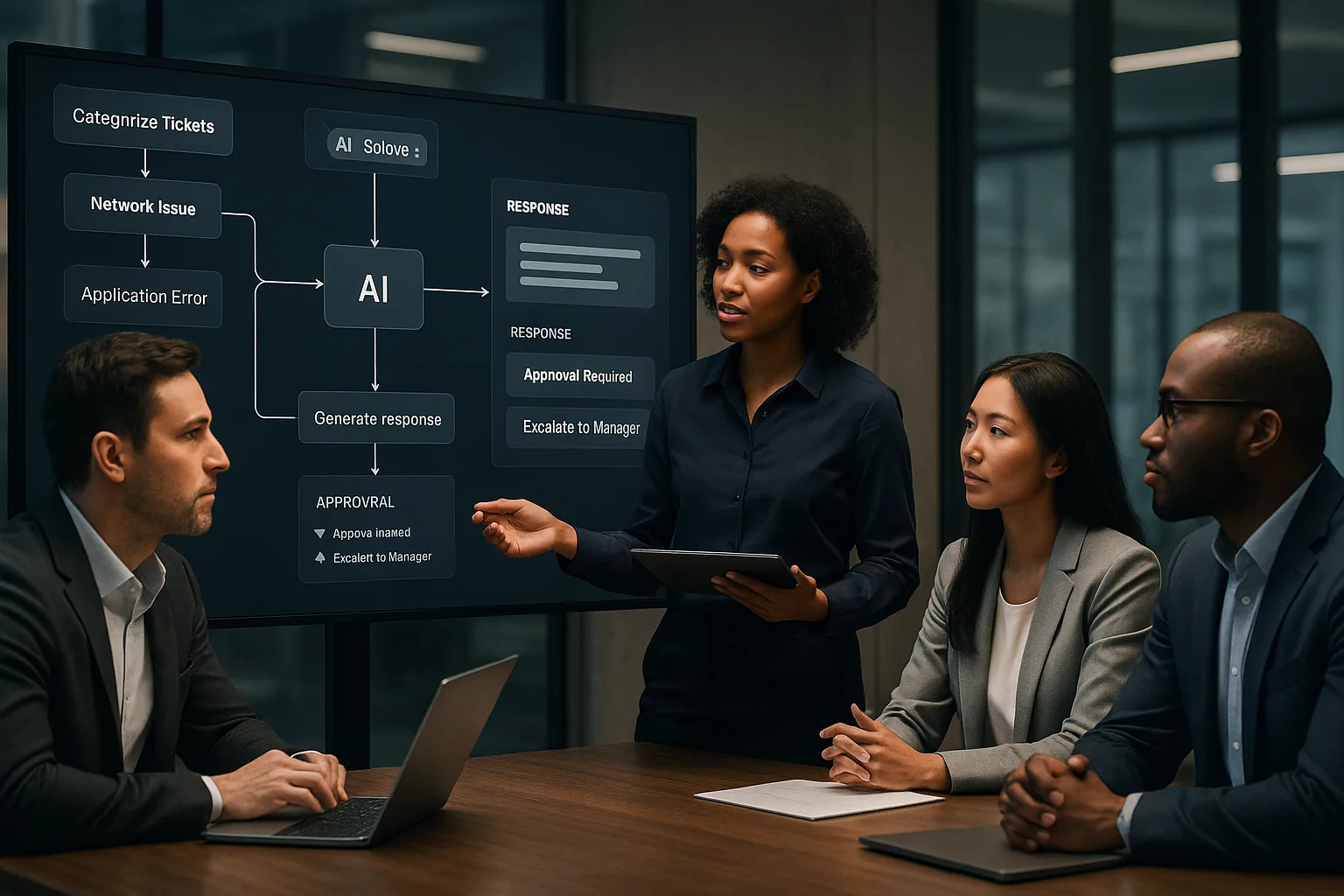
AI workflow automation for triage and response typically involves several layers:
- Classification: Using AI models to assign categories, priorities, or tags to incoming tickets or alerts.
- Assisted Response: AI suggests responses or next actions, which human agents can review and send.
- Automated Response: For well-defined, low-risk cases, AI can trigger responses or workflows autonomously.
- Operational Guardrails: Rules and controls that limit automation scope, enforce escalation paths, and ensure compliance.
Each approach involves trade-offs:
| Approach | Business Impact | Operational Cost | Risks |
|---|---|---|---|
| Classification Only | Speeds up triage, reduces manual sorting | Low to moderate (model training, integration) | Misclassification, bias, drift over time |
| Assisted Response | Improves consistency, reduces resolution time | Moderate (requires quality data, agent training) | Over-reliance on suggestions, agent complacency |
| Automated Response | Maximizes efficiency for routine cases | Higher (requires robust guardrails, monitoring) | Incorrect actions, compliance issues, customer dissatisfaction |
Risks can be managed with layered guardrails, regular audits, and human-in-the-loop design where appropriate.
Practical Implementation and Evaluation Criteria
Successful AI workflow automation starts with clear operational goals and a phased approach. Consider these evaluation criteria:
- Volume and Complexity: Is the ticket or alert volume high enough to justify automation? Are cases sufficiently structured for AI to add value?
- Data Quality: Are historical tickets, responses, and outcomes well-documented and accessible for model training?
- Integration Points: Can the AI system connect with your existing ticketing, CRM, or workflow platforms without disruptive changes?
- Guardrail Design: What rules, thresholds, or approval steps will prevent automation from overreaching or making critical errors?
- Human Oversight: How will agents review, override, or learn from AI-driven recommendations?
- Monitoring and Feedback Loops: What metrics will you track to detect drift, bias, or operational issues? How will you update models and rules?
A phased rollout—starting with classification, then assisted response, and only automating end-to-end for well-understood cases—reduces risk and builds organizational trust.
Example: Ticket Triage in IT Support
Suppose an enterprise IT helpdesk receives thousands of tickets per week. An AI model is trained on past tickets to classify issues (e.g., password reset, hardware failure, software bug). Simple cases like password resets can be auto-resolved with predefined scripts, while complex issues are flagged for human review. Guardrails ensure that only low-risk tickets are automated, and agents can override AI suggestions as needed. Regular audits track misclassification rates and user satisfaction, ensuring continuous improvement.
Common Mistakes and Warning Signs
- Over-automation: Attempting to automate complex, ambiguous, or high-risk cases too early, leading to errors or customer frustration.
- Insufficient Guardrails: Failing to define clear boundaries or escalation paths, which can result in compliance breaches or missed critical incidents.
- Poor Data Hygiene: Training models on incomplete, biased, or outdated data, causing unreliable classifications or responses.
- Lack of Change Management: Not preparing staff for new workflows, leading to resistance, workarounds, or disengagement.
- Neglecting Monitoring: Setting and forgetting automation without ongoing performance tracking, which allows errors to compound over time.
Warning signs include unexplained spikes in escalations, declining satisfaction scores, or agents routinely overriding AI suggestions. These indicate a need for review and recalibration.
Conclusion and Next Steps
AI workflow automation for triage and response can transform operational efficiency and consistency—but only with a disciplined, risk-aware approach. Start with clear objectives, robust data, and well-defined guardrails. Involve both technical and business stakeholders, and invest in ongoing monitoring and feedback loops. For organizations ready to explore AI-driven triage and response, a consultative assessment can help clarify readiness, scope, and the right level of automation for your context.